Photo backs, read for you
Transcribe the Handwriting on the Back of Your Photos
Upload your scanned fronts and backs. Timeline Scan, the AI photo dating service, types out every note and saves it inside the matching photo.
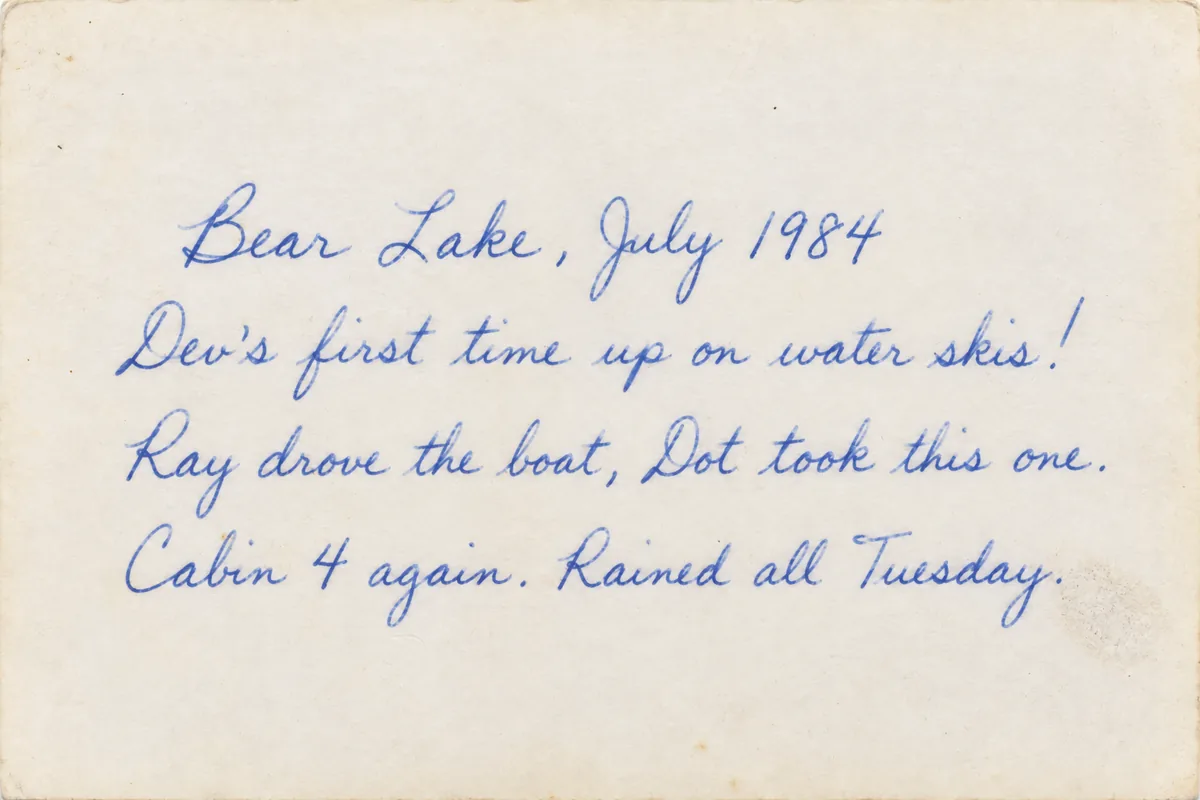
What Timeline Scan typed
Bear Lake, July 1984
Dev's first time up on water skis!
Ray drove the boat, Dot took this one.
Cabin 4 again. Rained all Tuesday.
- Date July 1984, the photo's date
- Place Bear Lake, on the map
Every word saved inside the front photo
Already know the years? Type them in with Timeline Tagger, our free Mac and Windows app. Don't know them? Timeline Scan, the AI photo dating service, estimates each one.
Every kind of back
What It Reads on the Back of a Photo
-
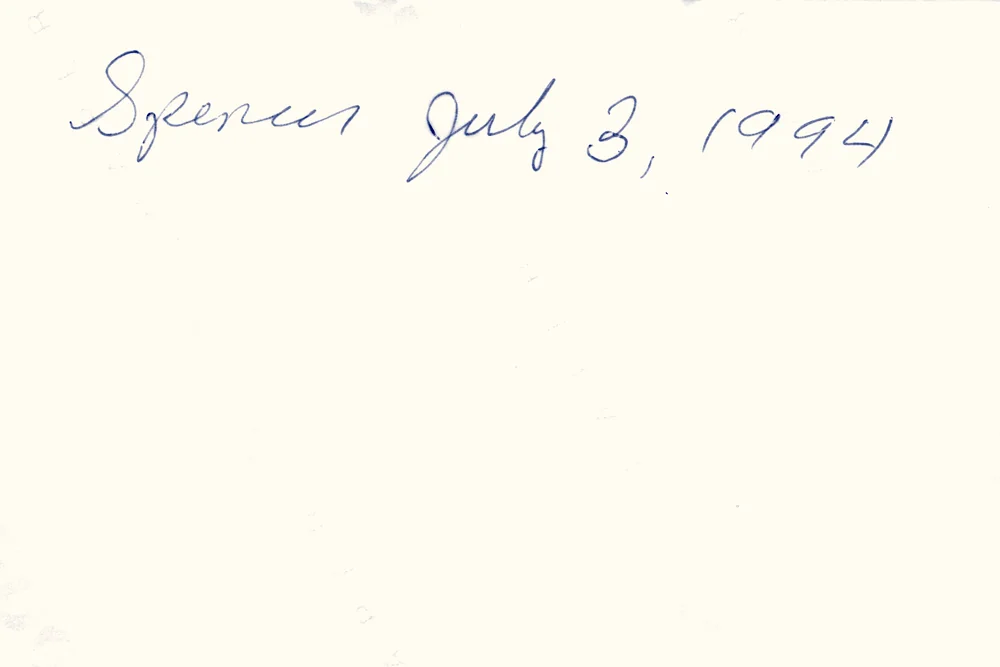
A name and a date
Spencer July 3, 1994
A real print. The date becomes the photo's date.
-
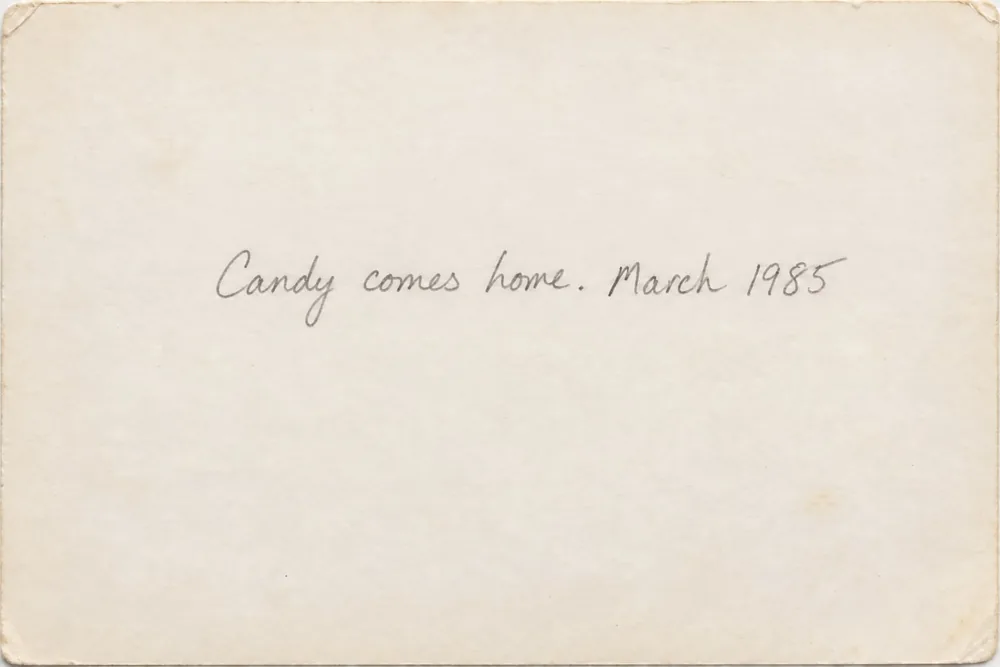
Faint pencil
Candy comes home. March 1985
A sample back. Light pencil still reads.
-
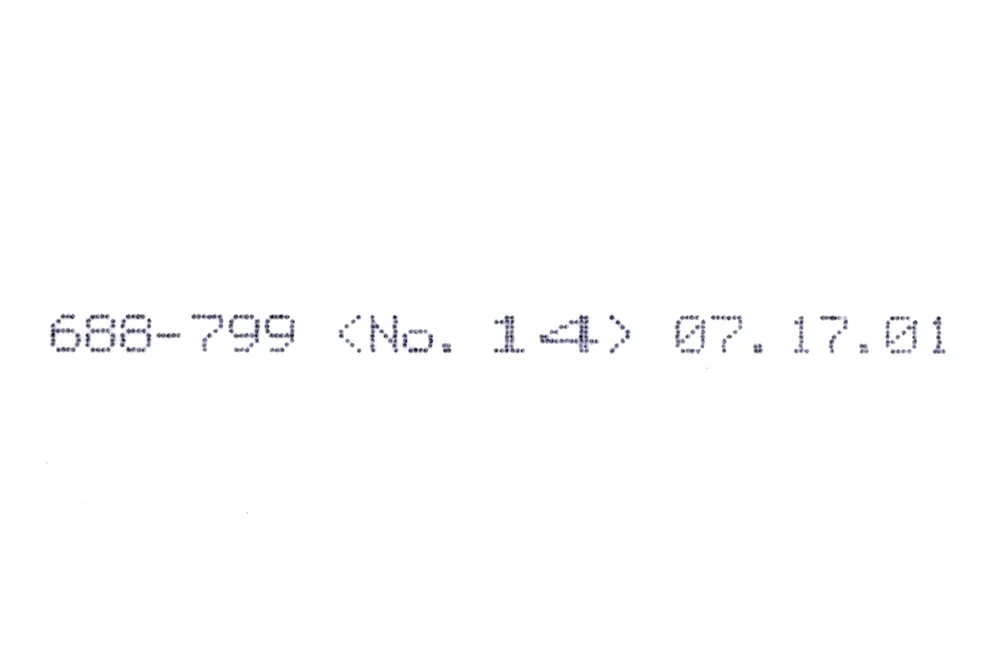
A photo lab's stamp
688-799 <No. 14> 07.17.01
Printed July 17, 2001, so taken on or before.
- Names
- Places
- Dates
- Stories
- Lab stamps
- Cursive
- Pencil
A written date is a clue, not always the answer. “Christmas 1974” dates that print. A back with only a name still needs the AI to estimate the year from the picture.
Four steps
How to Transcribe a Whole Box of Photo Backs
-
Scan the fronts and the backs
Any scanner, phone app or scanning service. Name them as pairs, like
photo001_aandphoto001_b. Perfect for this: the Epson FastFoto. It scans the front and the back of each photo at once, already paired.
How should I name the backs?
- Epson FastFoto: nothing to rename. It names each back after its front, ending in
_b, and we pair them. Set its back scanning to All, so faint pencil is not skipped. - The usual way:
photo001_a.jpgis the front,photo001_b.jpgis its back. Together they are one photo. - Your scanner names them differently? Tell us its pattern when you upload, for example
scan_0001.jpgwithscan_0001_b.jpg. - Keep each pair in the same folder. Backs pair with fronts folder by folder.
- No back for a photo? It is still dated from the picture.
- Scanning yourself? The free FrontBack Scanner pairs each back with its front as you scan.
- Epson FastFoto: nothing to rename. It names each back after its front, ending in
-
Upload the whole folder
Hundreds or thousands at once, at timelinescan.com or on the iPhone app.
-
The AI reads every back
It types out the writing, and any date it finds helps date the photo.
-
Check it, fix it, download
Change any word. Your downloaded copies carry the notes inside.
Saved in the file
Your Notes Travel Inside Each Photo
Here is where the note shows up.
-
Google Photos

Info
Add a description
Details
July 1984
scan_0036.jpg
Other
Bear Lake, July 1984
Dev's first time up on water skis!
Ray drove the boat, Dot took this one.
Cabin 4 again. Rained all Tuesday.Under Other in Info. Searchable.
-
Apple Photos
9:41
Bear Lake, July 1984
Dev's first time up on water skis!
Ray drove the boat, Dot took this one.
Cabin 4 again. Rained all Tuesday.July 1984
scan_0036.jpg
The caption on your iPhone. Searchable.
-
Immich
Bear Lake, July 1984
Dev's first time up on water skis!
Ray drove the boat, Dot took this one.
Cabin 4 again. Rained all Tuesday.Details
July 1984
scan_0036.jpg
The photo's description. Searchable.
Any other photo app, or folders on your computer: the note sits in the file's standard fields.
The details: which fields hold the note
- The note: EXIF ImageDescription, IPTC Caption and XMP Description.
- The date: EXIF DateTimeOriginal, IPTC and the XMP dates.
- Your own words win. A note you type replaces the transcription in the file.
- Your originals never change. The notes go into the copies you download.
- Every field, and which apps read it: what we save in your photos.
What it is not for
- Photo backs only. It is not built for letters, diaries or documents.
- No translation. Notes are kept in the language they were written in.
- Faint pencil can be hard to read. A missed word is yours to type in.
- You see every note before you download.
One upload does it all
Everything Timeline Scan Does for Your Scans
-
Dates every photo
The year, often the month, then oldest to newest.
- This page
Reads the backs
Every handwritten note, typed out.
-
Finds the place
Each photo pinned on the map.
-
Groups the faces
Name each person once.
-
Turns scans upright
No more sideways photos.
-
Saves it in the file
For Google Photos, Apple Photos, Immich or folders.
- Free trial, no card
- From $12 for 100 photos
- Front + back = 1 photo
- Pay once
Handwriting reading is in every pack. See all prices.
Common questions
Photo Back Transcription: FAQ
Can AI transcribe the handwriting on the back of old photos?
Yes. Timeline Scan reads the handwriting on scanned photo backs, cursive or print, and types it out as a note on the matching front photo. You check the note and fix any word, and the reviewed text is saved inside the photo file.
Can it read cursive?
Yes, most everyday cursive, like the pen notes on this page. Faint pencil, smudges or very ornate writing can come back with a missing or wrong word, and you fix it by typing over it. We have not yet published a word-accuracy figure for handwriting.
Can I transcribe hundreds of photo backs at once?
Yes. Upload the whole folder of fronts and backs and every back is read in the same run. Packs go up to 10,000 photos, and a front with its back counts as one photo.
Does the text stay with the front photo?
Yes. The note is saved in the front photo's own file, in the standard description fields. Immich shows it as the description, Google Photos lists it under Other in the photo's Info panel, and Apple Photos on your iPhone shows it as the caption when you save the file to Photos, where search finds it.
What if it gets a name wrong?
Click the note and type the right name. Your correction is what gets saved into the file. To name the people in the picture itself, name each face once and Timeline Scan finds the same person across the collection.
Is a date written on the back the same as the photo's date?
Often, and then it becomes the photo's date. But many backs carry only a name, and a lab stamp shows when the print was made, so the photo was taken on or before it. When the back has no date, the AI estimates the year from the picture itself.
What if I did not scan the backs?
Then there is nothing to transcribe, but every photo is still dated from the picture itself: date stamps, faces and their ages, clothes, cars and more. You can type a note on any photo yourself.
Is handwriting reading included in the price?
Yes. Every pack includes it, along with a date for every photo, a suggested place, faces to name and sideways scans turned upright. The free trial needs no credit card, and packs start at $12 for 100 photos, paid once.
Are my photos used to train AI?
No. Your photos are never used to train AI models. Your originals are never changed, and you can delete them at any time. Dated photos stay online for 60 days after they are dated, or 30 days on the free trial.
Every Note, Saved With Its Photo
Your first 50 photos are read and dated free, no credit card required.
Read 50 Photo Backs Free