After photo scanning
You Got Your Scans Back. Now Make Them Useful.
Quick answer
After scanning, each photo file carries the day it was created, so photo apps pile decades of prints onto one date. The next step is fixing those dates. Timeline Scan works out when each photo was taken and writes it into the file, so the collection falls into order in Google Photos, Apple Photos or plain folders.
- No special software and no subscription.

Scanning was step one
Digital files are not the same as an organized family timeline
As scanned
Every file says Mar 3, 2026
In order
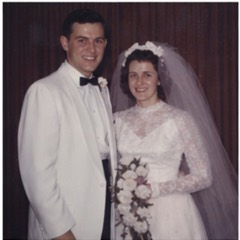 1958
1958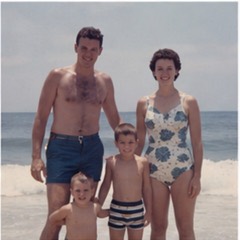 1971
1971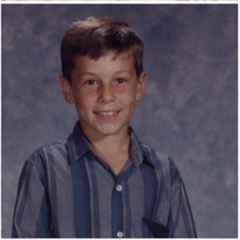 1987
1987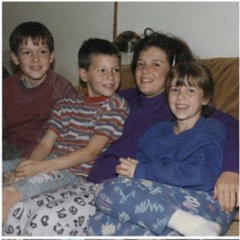 1996
1996
Here is how we automatically organize scanned photos. Scanning still ahead of you? Start with how to organize scanned photos, from digitizing to a finished archive.
How it works
The next step after scanning
Timeline Scan does not scan paper photos. It organizes the digital files you got back.
-
Upload the files you got back
The download, USB drive or cloud folder from your scanning service. JPEG, TIF and HEIC all work.
-
Timeline Scan looks for clues
Handwriting, printed dates, faces, clothing, cars, folder names and nearby photos.
-
Get a better-organized photo library
Download your photos in folders by year, send them to Google Photos, or keep the scans in Family Library so relatives can browse and help organize them.
Do it before you import. Put the scans in order first, then add them to your main photo library.
Best results when
A little family context can help
-
Keep albums together
Photos near each other in a box or album often belong near each other in time.
-
Include photo backs
Handwriting, dates, names and places help Timeline Scan guess better.
-
Use meaningful folders
Folder names like “Grandma album” or “Christmas 1980s” help.
-
Name a few faces
After your first results, tag people you know. Their birth years narrow the timeline.
Start small
Try it on a few photos first.
Start with free photos and see how Timeline Scan works before processing a full family archive.
After-scanning FAQ
Questions from families with finished scans
Is Timeline Scan a photo scanning service?
Not online. Timeline Scan on the web is for after scanning, when your photos are already digital files. If you live near Lehi, Utah, our local photo scanning service can digitize, date, and organize your prints for you.
I already paid to digitize my photos. Why would I need this?
Because digitizing turns paper photos into files, not a timeline. Timeline Scan puts those files back in the order the memories happened, so the collection is easy to browse.
Will this work with the files my scanning service gave me?
In most cases, yes. Timeline Scan works with common photo files like JPEG, TIF, and HEIC.
Will this change the way my photos look?
No. Timeline Scan keeps the picture itself unchanged. It updates the date information your photo library uses to place the photo.
Does this work with Google Photos?
Yes. You can download your corrected photos and upload them yourself or send them to Google Photos directly from your account.
What if Timeline Scan cannot know the exact date?
It places the photo near the right year or era instead. For many old photos the exact day is impossible to know, and the right year is what puts your family timeline back in order.
Turn your finished scans into a family timeline.
After digitizing, one step remains: the whole collection, back in order.
Try Photos Free