
A field guide from digitizing 8,000 family photos

How to Organize Scanned Photos: From Boxes of Prints to a Family Timeline

I digitized and organized my own family's archive of more than 8,000 photos. This page is everything that turned out to matter: which scanning setup actually scales, why the real dates belong inside each file, and how the archive becomes something your family opens on purpose.

Already scanned and just want them organized? Try photos free and see your own scans come back dated.

  1. 1Scan or outsource
  2. 2The gear
  3. 3Real dates
  4. 4Enjoy & share

The whole system in four lines

  1. Digitize. One inch of stacked prints is about 100 photos. Past roughly a thousand photos, buying a scanner usually beats paying a service, and your originals never leave the house.
  2. Scan. Epson FastFoto FF-680W for stacks: 600 DPI, backs always on. Epson V600 flatbed for fragile, odd-sized, sticky, and album photos, plus slides and film.
  3. Date. Write the date each photo was taken into the file's metadata. Timeline Scan can date and organize scanned photos automatically, or do it by hand with exiftool. Real dates make every app sort the archive itself.
  4. Enjoy. Import into Immich or Google Photos, let faces and search find anyone at any age, and share the album with family.

First decision

Scan Them Yourself, or Pay a Service?

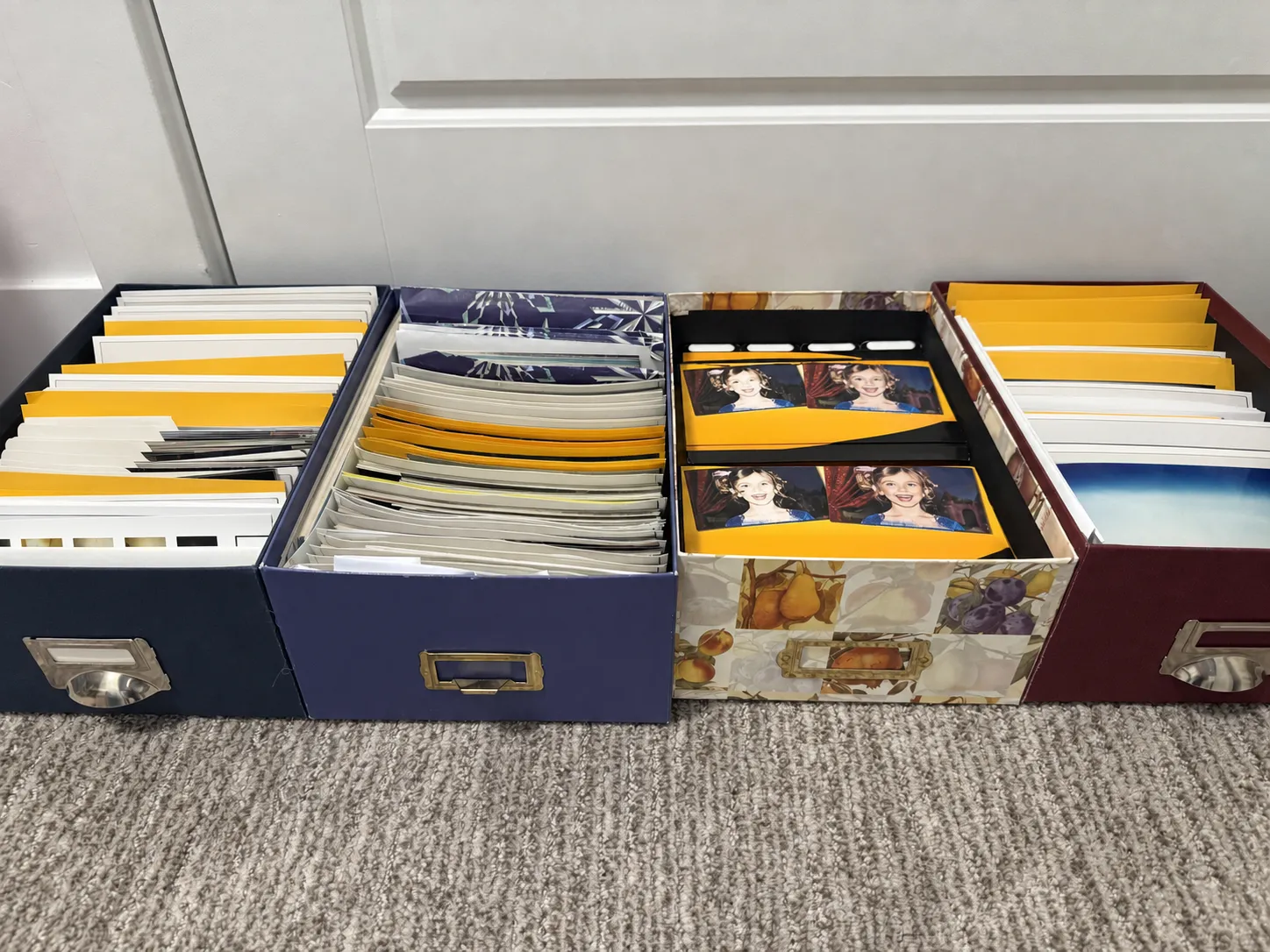
Four open photo storage boxes lined up on the floor, each packed front to back with loose prints and photo lab envelopes
Where my archive started: four of the boxes. A photo box this size holds around 1,200 to 1,500 prints.

Start by sizing the job, because everything else follows from the count. You don't need to count prints; measure them.

Stack the prints, measure the inches, multiply by 100. My boxes measured out to about 80 inches, which is how I knew I was staring at roughly 8,000 photos before I'd scanned one.

At a typical service rate of $0.30 to $0.75 per photo, that archive quotes at $2,400 to $6,000. The scanner that ate the whole thing costs about $600, and you can resell it when you're done. That math is the guide in one sentence: small archives, pay someone; big archives, buy the scanner.

Scanning service vs. scanning it yourself, for a large print archive
  Scanning service Do it yourself
Cost for ~1,000 photos $300 to $750. Below this size, a service is usually the better deal About the price of the scanner itself, which you keep or resell
Cost for ~8,000 photos $2,400 to $6,000 Still just the scanner: roughly $600 for the best one
Your originals Mail-in services put your only copies in a shipping box, twice. If you outsource, pick a local drop-off service instead Never leave your house
Your time Prep and packing, then a few weeks of waiting Real evenings of work. Budget the most time for pulling photos out of albums, not for the scanning itself
Control over quality and backs Varies; backs of photos often cost extra or aren't offered You choose the resolution and capture every handwritten back

Be honest about the time side of the trade: digitizing thousands of prints takes many evenings, and albums slow everything down. If your time is worth more than the difference, a drop-off service is the right call. Near Utah County? We run a local drop-off scanning service in Lehi, nothing mailed anywhere.

If you scan it yourself

The Gear That Gets You Through Thousands of Photos

Two scanners should cover all your digitization needs. An auto-feeder takes a stack of 30-40 at a time. The other handles everything the stack feeder would ruin.

The workhorse Illustration of the Epson FastFoto FF-680W with a stack of photos in the feed tray and a scanned print in the output tray

Epson FastFoto FF-680W

The gold standard for loose prints, and the reason a home archive of thousands is finishable at all. It scans the front and the back of every photo in the same pass, feeds a stack at a time, and the quality holds up. A shoebox becomes an afternoon, not a month.

Settings I recommend
ResolutionEnough to reprint and crop; storage is cheap 600 DPI
Scan the backsHandwriting and lab stamps are the dating evidence Always on
Restore faded colorsRevives faded prints; FastFoto keeps the untouched scan next to the enhanced copy, so keep both Restore + keep original
For everything else Illustration of the Epson Perfection V600 flatbed scanner with its lid closed

Epson Perfection V600 (flatbed)

A sheet feeder will damage or refuse the hard cases, and every archive has them: fragile prints, small wallets, oversized portraits, and photos stuck to sticky album pages. Those go on a flatbed, and the V600 is the one to get because it also scans slides and negatives with its built-in film holder.

Pair it with
SilverFastThe film and slide software included with the scanner: sharper negative conversions, dust and scratch removal Film & slides
FrontBack ScannerOur free Mac app for flatbed prints: lays several per bed, auto-detects and straightens each one, and pairs every front with its back Free

I built FrontBack Scanner for my own archive because every flatbed batch tool I could find was paid, so I made it free.

Stacks of loose prints FastFoto FF-680W
Fragile, small, large & sticky album photos V600 + FrontBack Scanner
Slides & negatives V600 + SilverFast

The step everyone skips

Organizing Means One Thing: the Real Date, Inside Each File

Phone photos organize themselves because the date taken is embedded in every file. Scans carry the scan date instead, so every app files forty years of memories under one day. Put the real dates back and scans finally fit the digital age: the timeline builds itself, in any app, forever.

✗  Scan dates: the library today
February 12, 2026 8,014 photos

…and 8,002 more, all filed under the day the scanner ran

✓  Real dates: the same library, dated
1955 Grandma & Grandpa's first house
1962 Christmas
1979 the lake trip
1996 sleepover at Grandma's

Same files, one difference: the date inside them. Metadata beats folder names because it travels with the file into every app, every backup, and every device, and no photo software reads your folder names.

“The dates don't have to be perfect, and unless a photo has a printed timestamp they probably won't be. The goal is a relative timeline: this photo before that one, each landing in or near its real year. Close is what makes an archive browsable.” The single most useful mindset for dating thousands of scans

Two ways to get real dates into your files, below. Whichever you choose, the key is any system that produces a reasonable estimate at scale, because per-photo human judgment is exactly what doesn't scale. And it's one-and-done work: once a date is written into a photo, every app, export, and backup from then on simply reads it. Nothing ever needs dating twice.

The automatic way

Timeline Scan

This step is why Timeline Scan exists: I packaged everything on this page into one service. Upload your scans and it reads every dating clue: handwriting on the backs, printed lab and camera timestamps, faces and how they age, clothing, and the photos scanned around each one. You review the timeline, then it writes each date into your files' metadata and hands them back organized.

It's a paid service, priced per photo dated, with a free trial and no subscription.

Try Photos Free
The manual way

exiftool, photo by photo

The free command-line tool exiftool writes any date you choose into a file's EXIF fields:

exiftool "-AllDates=1974:06:15 12:00:00" scan_042.jpg

Honest assessment: great for a few hundred photos you can date yourself, brutal for thousands. And if the price of a service is the deterrent and you're technical, build the middle path: script a loop that sends each scan (front and back) to your favorite AI model for an estimated date, then writes the answer back with exiftool.

Use every clue you already have

Before you scan, notice what your family left you. My mom labeled envelopes with occasions and date ranges, and those labels dated hundreds of photos at once. Keep envelopes and album pages together as folders when you scan, name the folders after the labels, and whatever dates your photos later (a service or your own script) gets that context for free.

This is also the argument for scanning backs, always: one handwritten “Christmas morning ’96” dates the whole roll around it.

Two boxes of photo lab envelopes labeled by hand with occasions and dates, such as Girls Camp July 2003 and Christmas 2002
My mom's envelope labels: free dating evidence, if you keep them with the scans.

The payoff

Enjoy Them: a Library Your Family Actually Opens

Dated files are the finish line for organizing, but the point of all of it is what happens next: put the archive somewhere with face recognition and search, and it stops being storage and starts being memories.

Immich: our top pick

Free, open source, and self-hosted, so the family archive stays on hardware you own. Its face recognition groups every photo of a person across the decades, and smart search understands plain sentences. With real dates in the files, the timeline lands in true order.

Google Photos: the easy option

If self-hosting isn't your thing, Google Photos brings the same magic as a hosted service: faces, search, and automatic memories. Just fix the dates first, or every scan piles up on upload day.

Share it with everyone

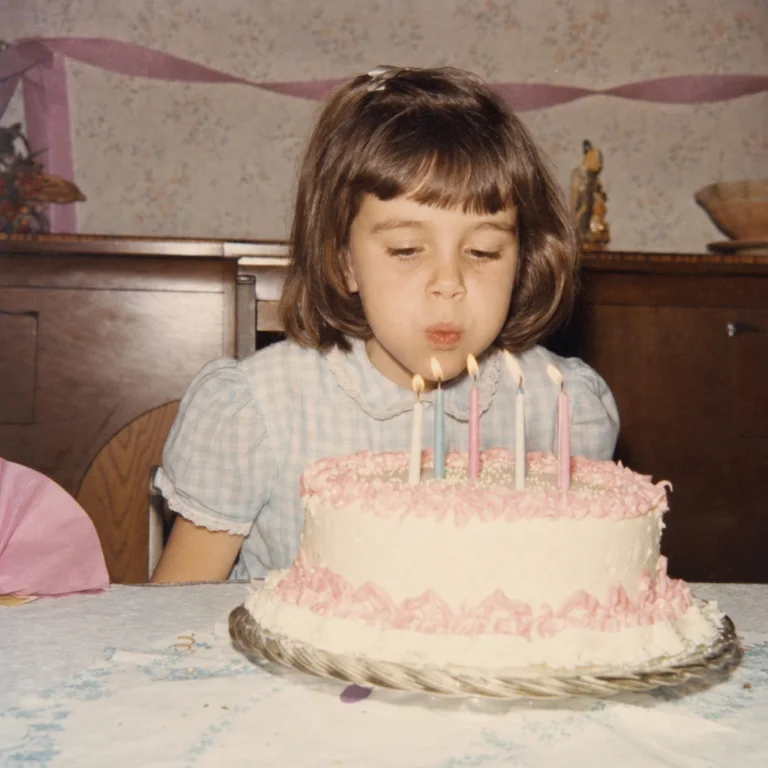
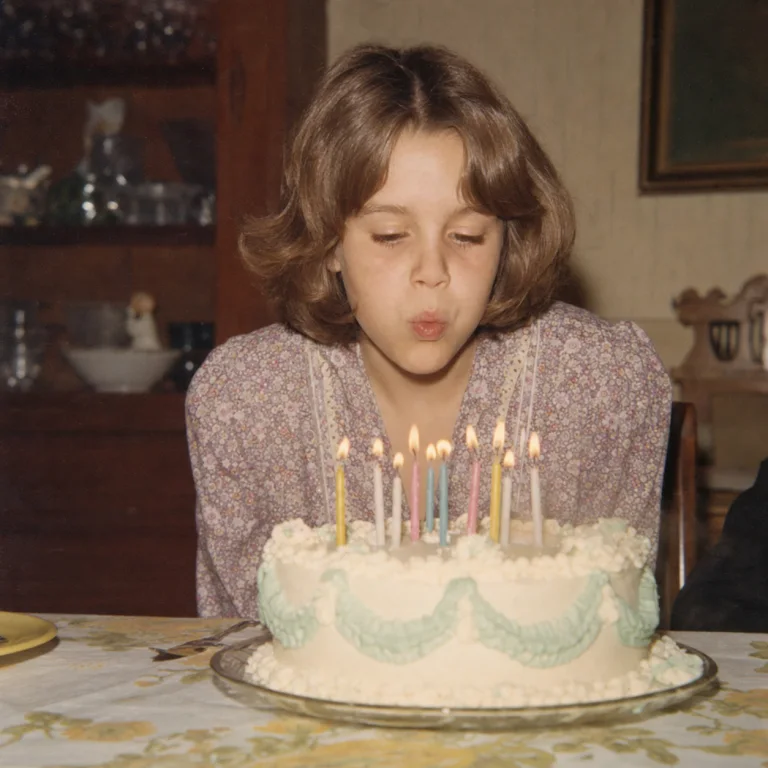
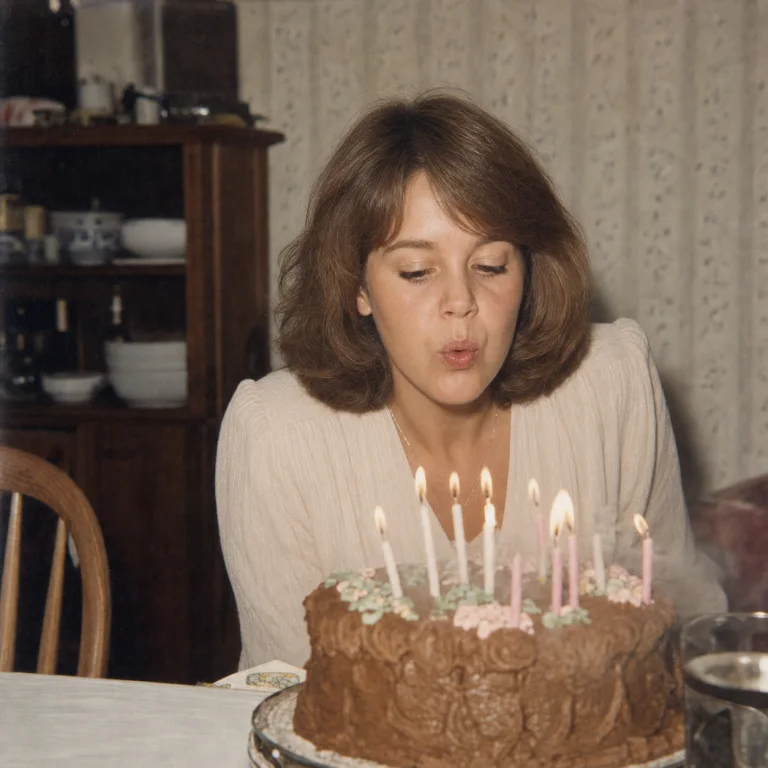
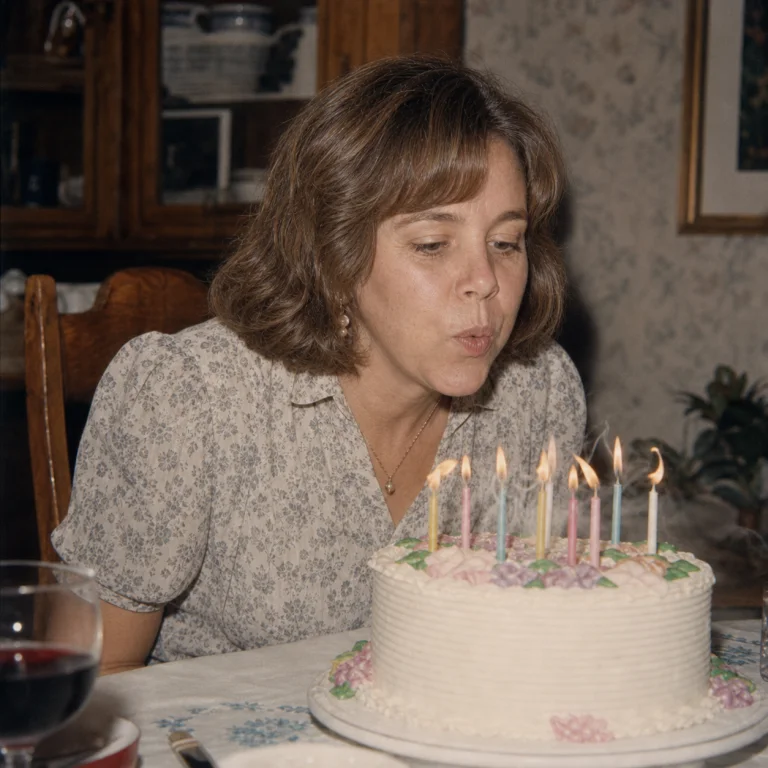
The last step matters most: share the album with your parents, siblings, and kids. A search like “Mom blowing out birthday candles” pulling up 1962 through 1996 in one screen is the moment the whole project pays for itself.

Timeline Scan can deliver straight into Immich, Google Photos, or folders by year on your computer.

Common questions

Questions About Digitizing and Organizing a Photo Archive

How many photos are in an inch of prints?

About 100. Measure each stack or box in inches and multiply by 100, and you'll know your archive's size before you scan anything. It's the number that decides whether a service or your own scanner is cheaper.

Is it cheaper to scan photos myself or use a scanning service?

Services typically run $0.30 to $0.75 per photo. Under roughly a thousand photos, that's usually less than buying good gear, so use a service (a local drop-off one if you can, so your only copies don't ride in the mail). Above that, a FastFoto FF-680W at about $600 usually wins (add an Epson V600 flatbed, around $300 bought used, for the fragile and album photos), and you can resell both afterward. Weigh your time honestly: DIY takes many evenings, especially freeing photos from albums.

What DPI should I scan old photos at?

600 DPI for prints: detailed enough to crop and reprint, fast enough to finish thousands. It also matches the upper end of the FADGI guidelines the Library of Congress uses for digitizing photographic prints. Always scan the backs as well, because handwriting and lab stamps are often the only record of when a photo was taken. Slides and negatives are tiny, so scan them much higher on a flatbed, typically 3200 DPI or more.

How do I organize scanned photos when every file shows the scan date?

Write the real date into each file's EXIF metadata; that's the field every photo app sorts by. Timeline Scan can organize scanned photos by date automatically, reading handwriting on the backs, printed timestamps, faces, and the photos around each one. The manual route is fixing the dates with exiftool, one decision per photo. Either way, once the date is in the file, folders by year and correct in-app timelines come for free.

Do the dates have to be exact?

No, and chasing exactness is how archive projects die. Unless a photo carries a printed timestamp, aim for a relative timeline: each photo in or near its real year, in the right order against its neighbors. A photo filed in 1975 that was really 1976 is a rounding error; a photo filed in 2026 is a lie.

What's the best app for enjoying scanned family photos?

Immich, if you're comfortable self-hosting: it's free, private, and its face recognition plus natural-language search make a big archive genuinely explorable. Google Photos is the best hosted alternative, and Apple Photos works well too. All of them need real dates in the files first; see how delivery works for Immich and Google Photos.

Should I just organize the files into folders by year?

Folders by year are a great output, a poor system. If the dates live only in folder names, no photo app can read them and one careless move scrambles everything. Put dates in the metadata and year folders can be generated automatically, while the same files also sort correctly in every app.

What is the best way to organize scanned photos?

Three passes. Rough-sort the prints into broad piles by decade or era before scanning. Scan everything at 600 DPI, backs included, since the handwriting there is often the only date you have. Then write each photo's real date into its EXIF metadata, automatically with Timeline Scan or by hand with exiftool. Once the date is inside the file, every photo app shows your collection in chronological order, and year folders can be generated whenever you want them.

How do I organize 30 years of photos?

Work in batches, not one heroic project. Measure first (an inch of stacked prints is about 100 photos, so a big box is often a thousand or more), rough-sort into eras, and scan one era at a time. Keep every scan in one folder tree, backed up to an external hard drive plus one cloud copy. Skip careful hand-sorting: once each file carries its real date in its metadata, the photo-by-photo chronological ordering happens automatically.

How do I organize scanned photos on a Mac?

Apple Photos sorts by the date-taken field stored inside each file, so fix that first and the Mac side takes care of itself. Scans arrive stamped with the day they were scanned; once the real dates are written into the metadata, import the folder and the timeline, Memories, and search all behave. If you're also scanning on the Mac, see our guide to scanning multiple photos at once on a Mac.

The Scanning Is on You. The Dating Doesn't Have to Be.

Timeline Scan is step 3 of this guide, packaged as a service: upload your scans, get back real dates in every file. Start with free photos, no credit card required.

Try Photos Free