Scattered Everywhere, Organized Nowhere
Get All Your Photos in One Place (Phones, Scans, Backups)
Pick one library (Google Photos, Apple Photos, Immich) and move everything in. Photo apps organize by the metadata inside each file, so photos with real dates sort themselves. Fix the ones missing it, your scans, and it all becomes one timeline.
-
Your phone
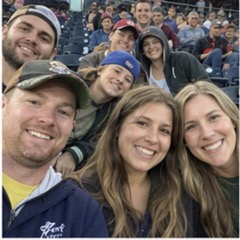

Dated by the camera
-
Your spouse's phone
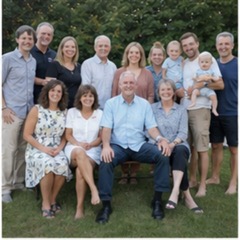
Dated by the camera
-
The scanned shoebox
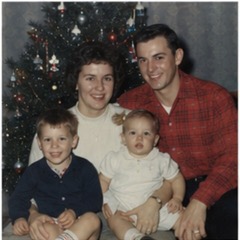
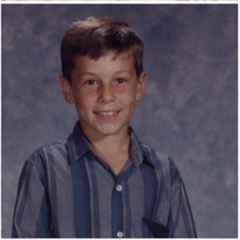
No date: files say scan day
-
Old drives & downloads
Dates missing or wrong
- 1962date fixed
- 1971date fixed
- 1987date fixed
- 1996date fixed
- 2024already right
- 2026already right
The dashed red streams are missing dates. Fix those, and all four sort into one timeline.
By Spencer Baker, founder of Timeline Scan · Last updated: October 1, 2026The one thing in the way
Same JPEG, Different Insides
Drop both into any photo app: one lands in June 2026, the other on scan day.
Planning the whole project? Read how to organize scanned photos.
Fresh from your phoneIMG_8231.jpg
- Date takenJun 14, 2026 · 7:42 PM
- LocationSalt Lake City, Utah
- Descriptionempty (optional)
The camera wrote it all. Nothing to do.
Fresh from your scannerscan_0412.jpg
- Date takenempty → apps guess: scan day
- Locationempty
- Descriptionempty (the story is on the back)
Taken in 1971, but nothing in the file says so.
Metadata is the key in 2026
Three Fields Make a Photo Live Anywhere
-
Date taken
DateTimeOriginalDecides where the photo sits on every timeline. Fix it on everything.
-
Description
ImageDescriptionThe note from the back of the print, now searchable.
-
Location
GPSLatitude / LongitudePuts the photo on the map. Set it where you know it.
The plan
Four Steps to One Photo Library
-
Pick one home
No lock-in: the metadata travels with the files.
Torn? Compare the destinations.
-
Round everything up
Point both phones at one shared library. Scan the shoebox, fronts and backs, and copy in the old drives.
Still on paper? Have us scan them or scan them yourself, free.
-
Fix the missing metadata
Fix each scan's date by hand in the free Timeline Tagger app, or let Timeline Scan do the whole archive.
-
Let the library do its job
Everything sorts itself: one scroll from your parents' wedding to this morning.
What that feels like: life after scanning.
Common questions
All Your Photos in One Place: FAQ
How do I get all my photos in one place?
Pick one photo library (Google Photos, Apple Photos, Immich or a plain folder tree), move every source into it, and fix the metadata on the files that lack it. Phone photos already carry a capture date and sort themselves. Scans carry only the scan date, so they need the real date written in first.
What is the best app to keep all my photos in one place?
Any library that reads the metadata inside each file: Google Photos, Apple Photos, Immich if you host your own, or dated files in a folder tree with no app at all. With correct dates inside, a collection can move between these apps later without re-sorting.
For scanned family photos, Family Library hosts one shared timeline for $39 a year or a small monthly fee, where invited relatives can help add names, dates, places and notes.
Why do my scanned photos end up in the wrong place when I combine everything?
Because a scanner stamps each new file with the scan date, and photo apps sort by the capture date inside the file. A print from 1975 files itself under the day it was scanned. Write the real date into the file's metadata and it drops into its proper spot, right next to the phone photos.
How do I merge my photos with my spouse's photos?
Point both phones at one shared library: partner sharing in Google Photos, iCloud Shared Photo Library in Apple Photos, or partner accounts in Immich. Both camera rolls then land in one timeline, and older scans join it once their dates are fixed.
For scanned photos, Family Library gives your relatives one hosted timeline to browse and help organize, for $39 a year or a small monthly fee.
What metadata should I set on old photos?
Three fields, and the first matters most. The capture date (EXIF DateTimeOriginal) decides where the photo lands on every timeline; set it on everything. The description carries the story, often already handwritten on the back of the print, and becomes searchable. GPS location puts the photo on the map. Add descriptions and locations where you know them.
Do I have to redo the work if I switch photo apps later?
No, not if the metadata is written inside the files. Dates, descriptions and locations in standard EXIF/XMP fields travel with the photos into any app. Edits made only inside one app (like a date typed into Google Photos) stay behind in that app, so fixing the files is the version you only do once.
The Scans Are the Only Hard Part. We Do That Part.
Upload your scans and get them back in order, free to start with no credit card.
Put Photos in Order Free