An Honest Side-by-Side Comparison
Timeline Scan, the AI photo dating service, vs Photomyne (2026)
Photomyne scans your prints with a phone. Timeline Scan dates the scans and puts them in order.
By Spencer Baker, founder of Timeline Scan · Last updated: November 10, 2026 · facts checked against Photomyne’s published pagesQuick answer
Photomyne is a phone app that scans printed photos; its annual membership is $59.99[7]. You tag dates yourself, and its Magic Tag can suggest one for a single photo[3]. Timeline Scan, the AI photo dating service, does not scan: it dates every scan you already have and writes the dates into the files.
- Prints still in the box, and no scanner? Photomyne.
- Scans done, but out of order? Timeline Scan.
Scanned, any app
Every file says2026
Dated by Timeline Scan
 1992
 1993
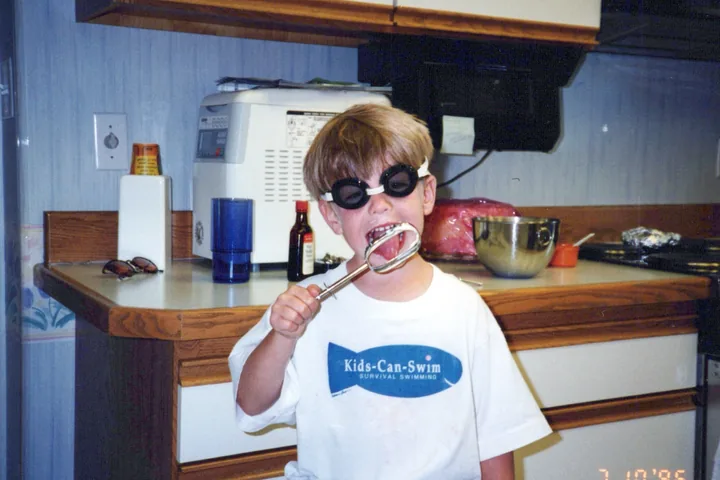 1996
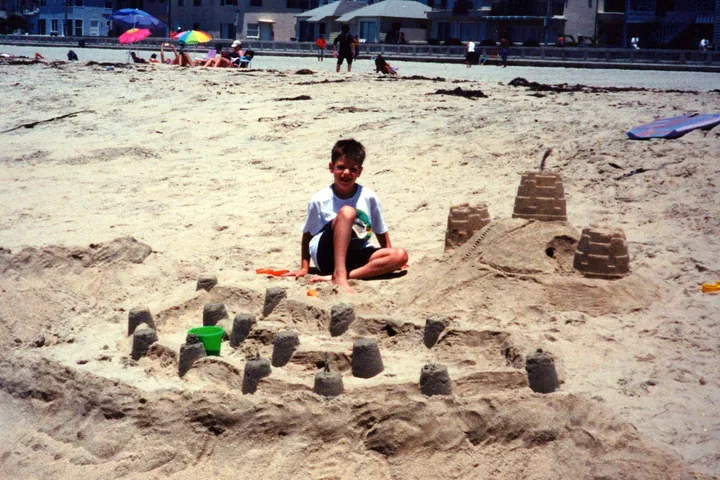 2001
Side by side
Timeline Scan vs Photomyne: Comparison Table
| Feature | Photomyne | Timeline Scan |
|---|---|---|
| Scans your prints | YesWith your phone’s camera[1] | NoBring scans from any scanner or app |
| Finds the date for you | PartlyYou tag it[2]; Magic Tag suggests one, a photo at a time[3] | YesEvery photo, from backs, lab dates and the scene |
| Where the date is saved | In the appExports as a caption strip or a text file[4] | In the fileEXIF, IPTC and XMP |
| Puts photos in date order | By handYou drag photos within an album[6] | YesOne timeline, oldest first |
| Colorize and restore | YesBuilt in[1] | NoYour photos stay as scanned |
| Price | $59.99 a year, or $19.99 a month[7] | 50 photos free, then from $12 for 100, paid once |
What Photomyne says about dates and exports
- Tagging a date: the Date tag takes “a specific date or just the year,” added by you, photo by photo[2].
- Magic Tag: powered by Google’s Gemini, it suggests “when and where your photos may have been taken,” from an icon above a photo in the iOS app. Photomyne says it works best on outdoor photos with unique elements, and that indoor photos may not give it enough clues[3].
- Exporting: details leave Photomyne as a white strip under the image or as a separate text file per photo, for paying members[4]. Photomyne adds that on other platforms “this information will not always transfer”[5].
- Plans: $19.99 a month; $59.99 a year after a 3-day free trial; or $119.99 once for three years[7].
The honest recommendation
When Each One Is the Right Choice
Choose Photomyne if…
- Your photos are still prints
- You have a phone but no scanner
- You want albums, colorizing and sharing in one app
- Tagging dates yourself is fine
Choose Timeline Scan if…
- Your photos are already scanned
- You don’t know when they were taken
- You want the whole box in order, not album by album
- You want the date written into each file
Not either/or
Using Both? Scan First, Then Date
-
Scan the prints with Photomyne
-
Save the photos to your computer
-
Upload them to Timeline Scan
Each photo gets its date, and the box comes back in order.
Common questions
Timeline Scan vs Photomyne: FAQ
Does Photomyne put dates on photos automatically?
Do Photomyne’s dates stay with the photos when I export them?
Not reliably. Photomyne’s export guide offers the details as a strip under the image or as a separate text file[4], and its saving guide says this information “will not always transfer” to other platforms[5].
Timeline Scan writes the date into each file’s own metadata, so Google Photos, Apple Photos and Immich sort by it.
Is Timeline Scan a Photomyne alternative?
Only for the dating step. Photomyne scans prints with a phone camera; Timeline Scan does not scan. It takes photos that are already scanned, by Photomyne or any scanner, works out when each was taken and puts them in order.
Can I use Photomyne and Timeline Scan together?
Yes. Scan with Photomyne, save the photos to your computer, then upload them to Timeline Scan. It estimates each photo’s date, writes it into the file and returns the collection in order, as folders by year or straight to Google Photos.
How much do Photomyne and Timeline Scan cost?
Photomyne’s membership is $59.99 a year after a 3-day trial, $19.99 month to month, or $119.99 once for three years[7]. Timeline Scan has no subscription: the first 50 photos are free, then packs start at $12 for 100 photos, paid once.
How accurate is Timeline Scan’s dating?
It depends on what the print carries. In tests on 1,300 scanned prints from one family archive, taken 1986 to 2005, prints with a date on the front or back land 98 to 100% of photo pairs in the right order and 99 to 100% within a year of the true date.
Bare prints land 89% of photo pairs in the right order and 96% within five years. The accuracy page has the method and the limits.
Show your work
Sources
The 7 Photomyne sources
- Photomyne Help: “What Can I Do With the Photomyne App?” (checked November 10, 2026). Scanning with the phone, automatic cropping, rotating and color restoring, and the details a user can add.
- Photomyne Help: “How Do I Add Details to My Photos?” (checked November 10, 2026). Lists the Date tag, “for a specific date or just the year.”
- Photomyne Blog: “Unraveling Memories with Photomyne’s Magic Tag” (December 1, 2024). Describes Magic Tag, powered by Google’s Gemini, what it suggests, where it works best and its limits.
- Photomyne Help: “How Do I Export Photos With Their Details in Photomyne?” (checked November 10, 2026). The two export options, and that exporting with details is for active paying members.
- Photomyne Help: “How Do I Save My Scanned Photos to My Phone, Computer, or Google Photos?” (checked November 10, 2026). States that other platforms do not all support Photomyne’s details, “so this information will not always transfer.”
- Photomyne Help: “How Do I Reorder My Photos Within an Album?” (checked November 10, 2026). Photos are rearranged by dragging them by hand.
- Photomyne: “Photomyne Pricing & Plans” (checked November 10, 2026). $19.99 a month; $59.99 a year after a 3-day free trial; $119.99 once for three years. Prices in U.S. dollars.
Photomyne is a trademark of Photomyne Ltd. Timeline Scan is an independent service and is not affiliated with, endorsed by, or sponsored by Photomyne.
Out of date? Tell us and we’ll correct it.